
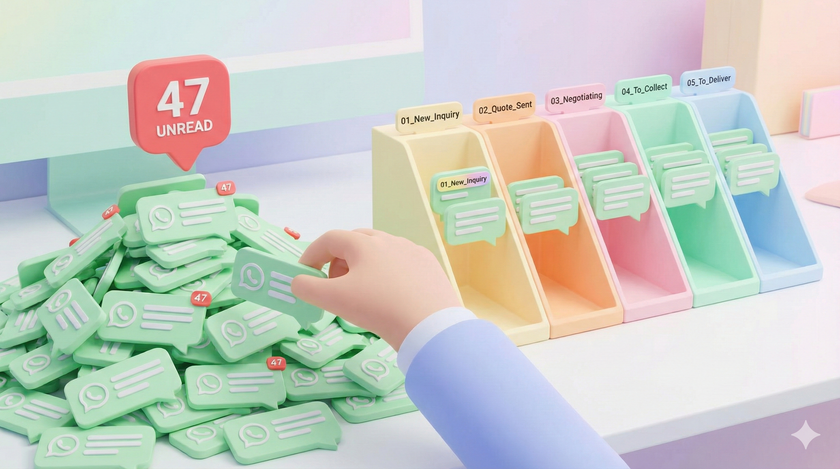
Three weeks ago, a client messaged you asking about your product.
You saw the message. You replied "Will send details by evening."
Then another message came. Then a call. Then lunch. Then that vendor issue. Then you went home.
You never sent the details.
The client waited two days. Then bought from someone else.
Now here is the thing. You did not forget the client. You forgot what you promised. Because there was no place where "send details to this client" was written. It existed only in that chat. And that chat got buried under 40 other chats.
This is not a WhatsApp problem. This is a tracking problem.
Let me show you something
Right now, without opening WhatsApp, answer these questions.
How many people asked about your product this week?
How many of them received a quote?
How many quotes are waiting for the client to respond?
How many clients said yes but have not paid?
You do not know. I know you do not know. Because there is no place where this information exists.
Every inquiry, every quote, every pending payment — all of it lives as messages scattered across chats. No count. No status. No visibility.
You are not running a pipeline. You are running a memory game. And memory fails.
See, the problem is not that you are slow
You reply fast. Blue ticks within minutes. You are responsive.
But replying is not the same as tracking.
"Will send quote today." Did you send it? Where is it written that you need to send it?
"Let me check with accounts." Did you check? Where is the reminder?
"I will revert by evening." Did you? Who is tracking this?
No one. Nothing. It is all in your head. And your head has 50 other things.
WhatsApp Business has a feature you have probably ignored
If you are on regular WhatsApp, switch to WhatsApp Business.
Inside WhatsApp Business, there is something called Labels.
Most people who try Labels create things like "Important" or "VIP" or "Family."
This is useless. Knowing someone is important does not tell you what to do next.
Labels should track stages, not people
Think about what happens after an inquiry comes in.
First, the inquiry arrives. You have not responded yet.
Then you send pricing or a quote. Now you are waiting for them to decide.
Then they agree. Now you are waiting for payment.
Then they pay. Now you need to deliver.
These are stages. Each stage needs a different action.
| Label | What it means | What you do |
|---|---|---|
| 01_New_Inquiry | Came in, not yet responded | Send info or quote |
| 02_Quote_Sent | Waiting for their decision | Follow up in 2-3 days |
| 03_Negotiating | Back and forth | Stay engaged |
| 04_To_Collect | Agreed, payment pending | Confirm receipt |
| 05_To_Deliver | Paid, work pending | Execute |
Why numbers? WhatsApp sorts labels alphabetically. 01 comes before 02. It keeps the order correct.
How this works in practice
Client messages asking about your service.
You reply with your pricing. Before you leave the chat, long press the chat. Tap Label. Select "02_Quote_Sent."
Two seconds. Done.
Three days later, client says yes. Long press. Change label to "04_To_Collect."
Payment arrives. Change to "05_To_Deliver."
Work done. Remove the label.
The label moves with the conversation.
Now open WhatsApp Business. Tap the three dots. Tap Labels.
You will see something you have never seen before.
01_New_Inquiry: 23
02_Quote_Sent: 8
03_Negotiating: 4
04_To_Collect: 2
23 inquiries. Only 8 got a quote.
Where did 15 go? They are sitting there. Waiting. You replied "Will send details." You never sent.
This is the leak in your pipeline. You could never see it before. Now you can.
Every evening, before you leave
Open Labels view. Takes 10 seconds.
Look at "01_New_Inquiry." Oldest 3 — respond to them now.
Look at "02_Quote_Sent." Anyone there more than 3 days? Follow up.
Look at "04_To_Collect." More than a week? Call them.
5 minutes. You now know exactly what is stuck and what needs attention.
The habit is small
You are already reading the message. You are already replying. You are already in the chat.
One extra step before you leave. Long press. Tap label.
Not a new app. Not a form to fill. Not another system to learn.
One tap. In the same place you already are.
What about groups
Groups cannot be labeled. Only individual chats.
If something actionable comes in a group, message the person directly. Now you have an individual chat. Now you can label it.
This week
Day 1. Switch to WhatsApp Business if you have not already.
Day 2. Delete the default labels. Create the 5 labels exactly as shown above.
Day 3 onwards. Every business chat — label it before you leave.
Every evening. Check Labels view. Act on what is stuck.
Do this for two weeks. Then tell me WhatsApp cannot be a system.
⚠️ Important Warnings
One-Way Street: While moving to Business is easy, moving back to personal WhatsApp is difficult. The official chat history transfer from Business back to Personal is often not supported or buggy. You might lose your chats if you decide to revert later.
Backup Overwrite: Once you switch, your Google Drive/iCloud backup will eventually be overwritten by a "WhatsApp Business" backup. This makes restoring to the personal version even harder.
Caller ID: When you message people, they will see a notification in the chat saying, "This chat is with a business account."