Most business owners think about security the wrong way.
They imagine hackers in dark rooms, running sophisticated attacks. They assume their business is too small to be a target. Or they believe security requires expensive software and dedicated IT teams.
The data tells a different story.
Where breaches actually come from
The overwhelming majority of data breaches involve human error. Not sophisticated hackers. Not zero-day exploits. Just people making mistakes.
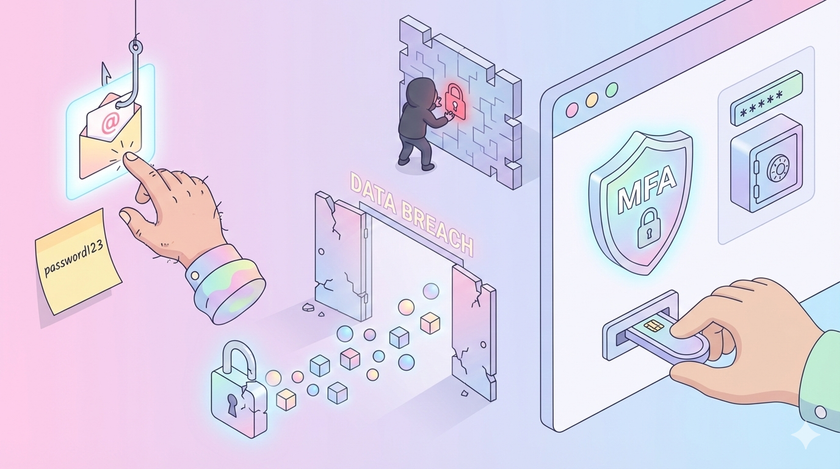
Someone clicks a phishing link. Someone uses the same password everywhere. Someone shares login credentials over WhatsApp. Someone leaves the company and nobody revokes their access.
The enemy is not outside. The enemy is inside. And the enemy is not malicious. The enemy is careless.
The cost of carelessness
Data breaches are expensive. For small businesses, they can be fatal.
The breach itself is only the beginning. Customers leave. Partners become wary. Years of trust disappear overnight. Many small businesses that suffer a serious breach never recover.
These consequences do not require a sophisticated attack. They require one person clicking the wrong link.
The security paradox
Advanced security solutions exist. Firewalls, intrusion detection, endpoint protection, AI-powered threat detection. You can spend lakhs on enterprise-grade infrastructure.
It will not help you if someone in your accounts team uses the same password for their company email and their personal Netflix account.
This is the paradox. Expensive tools are available. But the biggest improvements come from simple systems consistently applied.
The near-total solution
There is one security measure that stops almost all automated attacks. It costs nothing. It takes five minutes to set up.
Multi-factor authentication.
When you enable MFA, even if someone steals a password, they cannot log in without the second factor. The phone. The authenticator app. The hardware key.
Microsoft, Google, and every major security researcher agrees: MFA blocks nearly all automated credential attacks. Not reduces. Blocks.
And yet most small businesses do not use it.
This is not a technology problem. This is a decision problem.
The password problem
Most people reuse passwords across multiple accounts. Many use the same password for work and personal accounts. Common passwords remain things like "123456" and "password."
The solution is equally basic: password managers.
A password manager generates strong, unique passwords for every account. The user remembers one master password. The manager handles everything else.
Google Chrome has a built-in password manager. Bitwarden is free. The tool exists. The question is whether you require your team to use it.
What Google Workspace gives you
If you are on Google Workspace, you already have powerful security features.
Account recovery: When an employee leaves, you do not lose their data. You can transfer ownership instantly.
Access control: You can see who has access to what. You can revoke access in seconds.
Audit trails: Every action is logged. If something goes wrong, you can trace it.
2-Step Verification: You can require MFA for all users. Not optional. Mandatory.
The problem is not capability. The problem is that most businesses never configure these features.
The offboarding problem
A significant portion of former employees retain access to company systems after leaving. Not because they hacked in. Because nobody revoked their access.
When someone leaves your company, what happens?
In most businesses: nothing. Their email keeps working. Their access to shared drives remains. Their accounts on various services stay active.
This is not a technology problem. This is a checklist problem.
When an employee leaves:
- Suspend their Google account immediately
- Transfer ownership of their files
- Set up email forwarding if needed
- Revoke access to third-party services
- Collect company devices
This checklist costs nothing. It takes ten minutes to execute. It closes one of the biggest security holes in most organizations.
Simple systems that matter
| Security Measure | Cost | Effort | Impact |
|---|---|---|---|
| Enable MFA for all accounts | Free | 5 min/user | Blocks most attacks |
| Use a password manager | Free to minimal | 1 hour setup | Eliminates password reuse |
| Offboarding checklist | Free | 1 hour to create | Prevents ex-employee access |
| Quarterly access review | Free | 30 minutes | Removes unnecessary access |
None require specialized IT staff. None require expensive software. All dramatically reduce risk.
Start here
If you do nothing else, do one thing: enable 2-Step Verification for your Google Workspace.
Go to admin.google.com. Navigate to Security. Turn on 2-step verification. Require it for all users.
This single action will do more for your security than any expensive software.
Then, over the next month:
- Create an offboarding checklist
- Review who has access to your shared drives
- Introduce a password manager to your team
- Schedule a 30-minute session to show your team how to spot phishing emails
Total cost: nearly zero. Risk reduction: dramatic.
Security does not have to be expensive or complex. It has to be systematic.