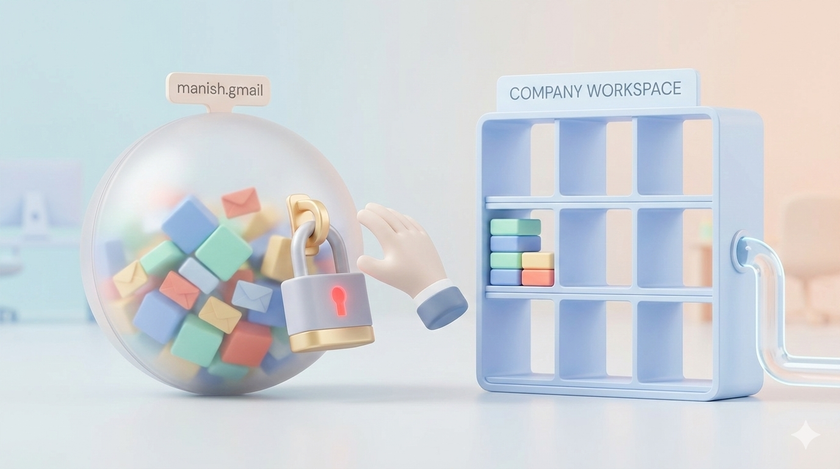
Your sales guy Manish has been with you for 3 years. He uses [email protected] for everything. Client communication. Quotations. Purchase orders. Vendor contacts.
One day Manish resigns. Joins a competitor.
All those client emails? Gone with Manish. All those quotations? Gone with Manish. All those vendor contacts? Gone with Manish.
You cannot do anything about it. Legally, that Gmail account belongs to Manish. Not you.
Why this happens
When Manish created [email protected], he agreed to Google's terms. Google sees him as the owner. You are not in the picture.
Google does not know that Manish uses this email for your business. Google does not care. As far as Google is concerned, it is Manish's personal property.
You have zero rights over that account. Zero access. Zero recovery options.
What makes it worse
Let us say Manish forgets his password. Or gets locked out. Or Google disables his account for some reason.
Who does Manish call? No one.
Google does not have a customer service number for personal Gmail accounts. There is no human to talk to. Only automated recovery systems. If those systems do not work, the data is gone forever.
This is not a rare problem. Thousands of users get locked out of their Gmail accounts every year and have no way to recover them. Google explicitly states on their support page: "For your security, you can't call Google for help to sign into your account."
Now imagine this is not just Manish's personal photos. This is your client database. Your business communication. Your company's memory.
Google Workspace is different
When you use Google Workspace, the rules change completely.
| Personal Gmail | Google Workspace |
|---|---|
| Employee owns the account | Company owns the account |
| No admin access | Full admin control |
| Employee leaves, data leaves | Employee leaves, data stays |
| No recovery if locked out | Admin can reset password anytime |
| No file transfer possible | Admin can transfer all files to another user |
| No security policies | Company sets password rules, 2FA, etc. |
| Google sees individual as customer | Google sees company as customer |
With Google Workspace, when Manish resigns, you do this:
- Suspend his account (he cannot log in anymore)
- Transfer his Drive files to his replacement
- Forward his emails to his manager
- Delete his account when ready
All his work stays with you. Because it was always yours.
The 20 day rule
In Google Workspace, even if you accidentally delete a user, you have 20 days to restore everything. After that, data is permanently gone.
With personal Gmail? There is no such safety net. If Manish deletes his account or gets locked out, you have no recourse. Not 20 days. Not 20 minutes. Nothing.
What about data Manish already has
Here is the uncomfortable truth. If Manish has been using his personal Gmail for 3 years, he already has copies of everything. Client emails. Attachments. Contact lists.
Moving to Google Workspace now does not erase his past. But it stops the bleeding. From today onwards, new data stays with you.
And when the next Manish joins, you start clean. Company email from day one.
The common excuses
"But we are a small company." Small companies lose more when one person leaves. You do not have redundancy. One salesperson leaving with client data can cripple your business.
"Google Workspace costs money." Business Starter is around ₹136 per user per month. That is less than one cup of office chai per day. Compare that to losing 3 years of client communication.
"My employees will not use a new email." They use whatever you tell them to use. If their salary comes from you, their work email should too.
"We have been doing this for years." And you have been lucky for years. One resignation away from a crisis.
What to do this week
If you already have Google Workspace:
- Check if anyone is still using personal Gmail for work
- Make a list of all such employees
- Set a deadline for switching to company email
- Help them set up email forwarding from old Gmail to new company email
If you do not have Google Workspace:
- Go to workspace.google.com
- Pick Business Starter plan
- Start with 5 critical users (owner, EA, accountant, sales head, operations head)
- Expand gradually
For new employees:
- Create company email on day one
- Never let them use personal email for work communication
- Make this part of your onboarding checklist
The real issue
This is not about technology. This is about ownership.
When an employee uses their personal email for work, they own your business data. You are trusting them to not misuse it. You are trusting them to hand it over when they leave. You are trusting them to not get locked out.
That is a lot of trust for something this important.
Google Workspace costs money. Losing your client database costs more.