
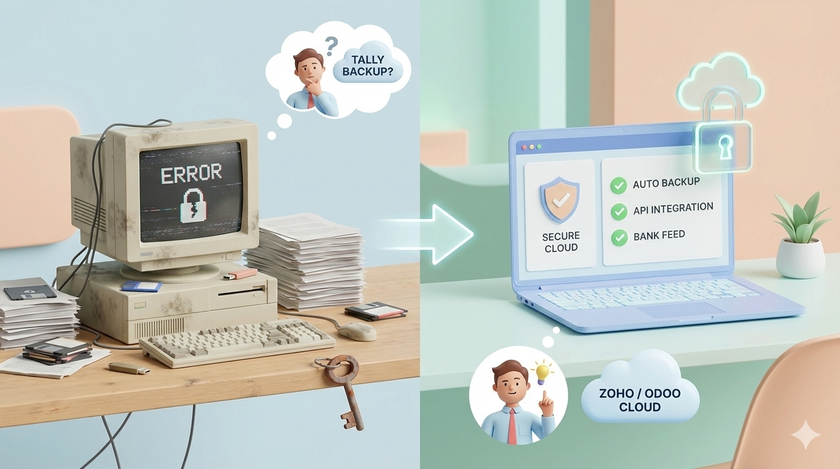
Think about what is on your accountant's computer.
Bank login credentials. GST portal access. Balance sheets. Profit and loss statements. Salary details of every employee. Vendor payment records. Client invoices going back years.
Now think about that computer.
Old Windows. Never updated. Pirated software. Antivirus expired three years ago. Shared by the accountant, their assistant, and sometimes the CA's office boy who comes to pick up files. USB drives going in and out. Same machine used to download random PDFs from the internet.
Your most confidential business data. On the most vulnerable machine in your office.
The typical setup
I have seen hundreds of businesses. The pattern is the same.
The owner has a decent laptop. Maybe a MacBook. Maybe a new Windows machine. Updated. Reasonably secure.
The accountant? Sitting in the corner with a 7 year old desktop. Running Windows 7. Or a cracked version of Windows 10. Tally installed. No backup system. Fan making strange noises.
This is where your entire financial history lives.
What can go wrong
Hard disk crashes. It happens. Especially on old machines. One day the computer does not start. Years of data gone. Yes, Tally has backup features. Yes, TallyPrime 7.0 even has cloud backup via TallyDrive. But is your accountant actually using them? When was the last backup taken? Where is it stored? On a USB drive that no one can find?
Ransomware. Someone clicks a link in an email. Downloads an attachment. Entire system encrypted. Pay ₹5 lakhs in Bitcoin or lose everything. This is not a movie plot. This happens to small businesses in India every week.
Accountant leaves. They have worked on that machine for 5 years. They have copies of everything. Password files. Bank statements. GST credentials. They know your finances better than you do. And now they work for someone else.
Too many people have access. The accountant. The junior accountant. The CA. The CA's assistant. The auditor during audit season. The Tally support guy who logged in via AnyDesk to fix something. How many people have touched that machine?
The real problem with Tally
Let me be clear. Tally is not bad software. It is powerful. It handles GST compliance well. Your accountant knows it inside out. Millions of businesses run on it.
But there is one problem that matters more than anything else.
Integration.
Here is what I mean.
You want your invoicing system to talk to your accounting system. You want your CRM to automatically update when a payment is received. You want your inventory system to reflect in your books without manual entry. You want to pull financial data into a dashboard that updates in real time.
With cloud software like Zoho Books, this is straightforward. Connect to your CRM. Connect to your payment gateway. Connect to your bank. APIs talk to each other. Data flows automatically.
With Tally? It is possible. Tally has an API. It uses XML over HTTP. You can build integrations.
But here is the catch.
You cannot do it yourself. Your accountant cannot do it. You need a specialized Tally developer or a Tally partner. These people are not easy to find. They are expensive. And once you build something with them, you depend on them forever.
Any software that needs a specialized vendor for basic integration should be questioned.
This is not about Tally being old or bad. It is about being locked into an ecosystem where every customization requires outside help.
The comparison
| Feature | Tally | Zoho Books / Odoo |
|---|---|---|
| Accounting | Excellent | Good |
| GST compliance | Excellent | Good |
| Inventory | Excellent | Good |
| Your accountant knows it | Yes | Maybe not |
| Cloud access | Available (TallyPrime Cloud, TallyDrive) | Native |
| Automatic backup | Available (needs setup) | Automatic |
| Integration with other tools | Possible but needs developer | Built-in, self-service |
| Bank feeds | Limited | Direct connection |
| API for custom work | XML over HTTP (technical) | REST API (modern, documented) |
Look at the last three rows. That is where the difference matters.
If you want your accounting software to just do accounting, Tally is fine.
If you want your accounting software to talk to everything else in your business without hiring a developer every time, you have a problem.
The accountant resistance
Your accountant does not want to change. Your CA does not want to change. They have systems. They have muscle memory. They know where every button is in Tally.
Learning something new is painful. They will resist.
But here is what you need to understand. Their comfort is not your priority. Your business continuity is.
You are not asking them to learn rocket science. Zoho Books and Odoo are designed to be easier than Tally. The learning curve is weeks, not months. And once they switch, they will wonder why they waited so long.
How to have the conversation
Do not walk in and say "We are switching from Tally." That will create resistance.
Instead, ask questions.
"What happens if your computer crashes tomorrow? How quickly can we recover?"
"How do I check our cash position without calling you?"
"Can I see which invoices are overdue right now from my phone?"
"What if I want to automatically create an invoice when an order is placed on our website?"
"What if I want payment reminders to go out automatically?"
Let them realize the limitations themselves. Then introduce the alternative.
"I have been reading about Zoho Books. Some businesses in my network use it. Can we explore it together?"
Make them part of the decision. Not the victim of it.
What if they refuse
Find a new accountant.
I know that sounds harsh. But think about it.
If your accountant refuses to use a system that is better for your business, they are prioritising their comfort over your needs. That is not a good sign.
There are plenty of accountants who already use Zoho Books and Odoo. Many CAs have already made the switch for their clients. You do not have to convince someone who does not want to be convinced.
What to do this week
Step 1: Audit the accountant's computer
Ask these questions:
- When was Windows last updated?
- Is the antivirus current?
- Where is the Tally backup stored? When was the last backup taken?
- Is TallyDrive or any cloud backup enabled?
- Who else uses this computer?
- Who else has remote access (AnyDesk, TeamViewer)?
Step 2: Talk to your CA
Ask them:
- Are any of your other clients using Zoho Books or Odoo?
- Would you be open to exploring cloud accounting?
- What would it take to make the switch?
Step 3: Create a free account
Go to zohobooks or odoo. Create a free trial. Click around. See what it looks like. You do not need to understand everything. Just get familiar.
Step 4: Think about integration
Ask yourself: In the next 2 years, what do I want to connect to my accounting system?
- Website orders?
- CRM?
- Payment gateway?
- Inventory management?
- Automated reports?
If the answer is "nothing, just accounting," Tally is fine. Secure the computer, enable backups, and move on.
If the answer is "yes, I want these things to talk to each other," start the conversation about alternatives now.
The real question
Your financial data is the most sensitive information in your business.
Is it sitting on a secure, backed-up, properly maintained system?
Is it in software that can grow with your business without needing a specialized developer every time?
You already know the answer.