You ask Claude to draft a follow-up to Sharma-ji, the client who went quiet on the proposal. You read the reply. Too formal. You type "make it warmer, we have known him for years." You read again. Now it sounds chatty. You type "somewhere in between, professional but warm." You read. You ship it.
That was three rounds. You feel like you worked. Most of what you did was reading.
This is the part nobody tells you about being an AI power user. The time you save by not writing from scratch gets partly handed back to round-tripping with Claude. You walk away thinking AI is fast because the output is good. You also burned ten minutes when four was on the table.
The first prompt was thin
The back-and-forth is not workflow. It is correction tax.
Round two exists because round one was missing context. Round three exists because round two was missing more context. Every "actually, also mention X," every "no, shorter," every "make it warmer," every "too formal again" is a piece of brief you should have handed Claude at the start.
You did not hand it over because you did not type it. You did not type it because the full brief was a hundred words, typing is forty words per minute, and your brain did the math and said no.
That is not a prompting problem. That is a typing problem.
Speech is three to four times faster than typing
Forty words per minute is what typing gets you on a good day. Phones are slower. Speaking sits between 130 and 160 WPM. The gap is not small and it is not new.
| Input method | Speed | Where you use it |
|---|---|---|
| Typing on phone | 36 WPM | WhatsApp, Claude app |
| Typing on keyboard | 40 WPM | Email, Google Docs |
| Natural speech | 130 to 160 WPM | Briefing your accountant on a call |
| Voice with AI cleanup | 150+ WPM | New dictation tools |
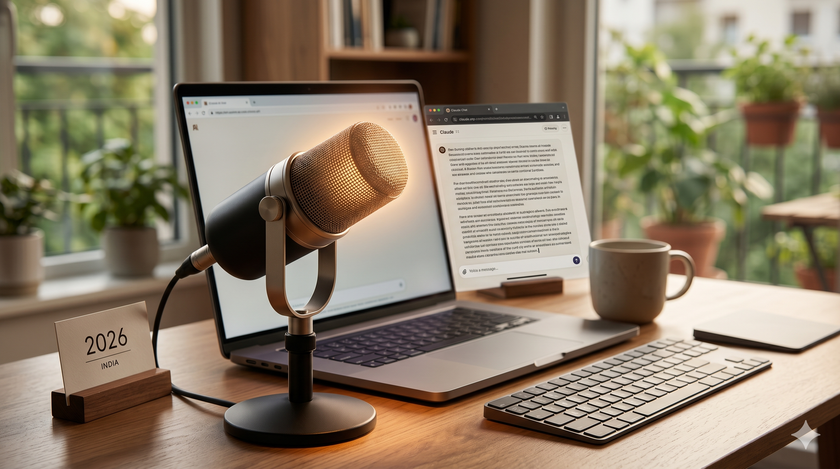
When you type a prompt, you are sending Claude a telegram. When you speak it, you are sending a voice note.
Here is the part that does the real work. When you speak, you naturally include context. You say "this is for Sharma-ji, my client for six years, the proposal is for the office automation project we discussed in October, he has gone quiet for two weeks, I think he is comparing quotes, I want to nudge him without sounding desperate, warm tone because we have history, four lines maximum, end with a soft option to jump on a call this week." That paragraph is sixty-three words and took you fourteen seconds. You would never type sixty-three words to brief Claude. You would type ten, get a generic reply, and start round-tripping.
More context beats better prompting. Every time. Voice is what makes more context cost less than the round trips you are currently paying for.
What changed in 2026
Phone voice typing has existed for a decade. It was bad. It made you say "comma" and "full stop". It mangled "GST" into "just". It worked only inside the keyboard, so dictating into Claude meant switching keyboards each time.
A new category of tool fixes this. The best of them is Wispr Flow.
Hold a hotkey. Speak naturally. Release. Polished text appears wherever your cursor sits. Wispr strips the "umm" and the "actually wait, change that". It adds punctuation. It understands Hinglish. Say "Bhai, GST refund stuck hai, please draft a polite follow-up to the CA," and it transcribes that as one clean instruction in English. It works inside Claude, WhatsApp, Gmail, Tally web, Google Docs. Anywhere your cursor goes, your voice goes.
India pricing launched in December 2025. The free tier covers 2,000 words a week on desktop, 1,000 on iPhone, and Android is currently unlimited in early access. Pro is ₹320 per month on the India annual plan, roughly a quarter of the $15 global price.
Link: https://wisprflow.ai/
"But Claude has voice already"
True. Claude has a microphone button in the mobile app. Claude has a voice mode for spoken back-and-forth. Both are useful. Neither solves the round-tripping problem.
| Claude's built-in voice | Wispr Flow | |
|---|---|---|
| Works outside Claude | No | Yes, in every app |
| Cleans up your speech | No, raw transcript | Yes, strips filler |
| Handles "actually, change that" | No | Yes |
| Hinglish | Limited | Dedicated model |
Voice mode is a conversation. Claude listens, then talks back, then listens. Useful for a question on the move. Wrong tool when you want to dump sixty words of context into one prompt without being interrupted.
The dictation button is raw transcription. Say "umm, actually change that to sound more polite" and Claude types the whole sentence including the umm. Wispr strips it. Plus, you can Whisper into whispr when others are around.
Both Claude features only work inside the Claude app. The rest of your day is not inside Claude. WhatsApp replies to Sharma-ji. Gmail to customers. Tally entries. Google Doc drafts. The minute you leave the app, the voice goes away and you are back to typing.
Wispr works everywhere. One hotkey, every app, every cursor.
What two saved read-cycles look like
I have watched hundreds of business owners who already use Claude daily. They have moved past the beginner fear. The next thing to overcome is the typing barrier.
Here is the same email task, with and without a voice-led first prompt.
| Step | Without voice | With voice |
|---|---|---|
| Compose prompt | 10s typing | 14s speaking |
| Read Claude's reply | 45s | 45s |
| Type correction | 20s | — |
| Read again | 45s | — |
| Type second correction | 15s | — |
| Final read | 30s | — |
| Total per task | ~2 min 45 sec | under 1 minute |
Two of the three reads vanish because the corrections vanish. The corrections vanish because the context was there from the start.
Across ten Claude tasks a day, that is roughly eighteen minutes returned to you. Across a week, an hour and a half. The output also improves, because Claude is now answering the full question instead of a stripped-down version of it that you slowly steer toward the real one over three rounds.
What to do this week
- Go to wisprflow.ai. Download for Mac, Windows, or Android.
- Open the app once. Set the hotkey to something you can hit without thinking. Double-tap right Shift on Mac is the default and works well.
- Open Claude. Hold the hotkey. Talk through your next real task the way you would brief a smart intern who knows nothing about your business. Speak for thirty seconds. Release. Hit send. Notice you did not need round two.
- I wrote about why you should record a voice note daily, you can use wisprflow to transcribe it and make it ready for AI Analysis.
If you handle confidential client data, turn on Privacy Mode in settings so data is not retained on their servers. You will feel awkward speaking to your laptop for the first three days. By the fourth day, you will not type a Claude prompt again.
Have you been using it already? If yes, share your experience in comments. You need to open the post in a browser to be able to comment.